High call volumes

Our member and provider services may be experiencing higher than normal call volumes from 12/22/25-1/9/26 due to a large number of staff being out of office.  We encourage you to utilize alternative forms of communication including secured messaging through online Member Services and Availity Essentials Provider Portal.

Show More

BCBSND district offices will be closed to the public on Friday, Dec. 26.

This includes Bismarck, Grand Forks, Jamestown and Minot. Need help? We’re here for you! Log in at BCBSND.me or call 844-363-8457.

Show More

We are unable to accept walk-ins on Friday, Dec. 26, and Friday, Jan. 2., due to short staffing.


Show More

Getting Started

To get started, you will need to create a new account. Have your Member ID card ready (make sure you’re using the newest version).

1. Visit BCBSND.me or download the BCBSND.me app

2. Click "Create an account"

3. Choose account credentials: Email address (which will become your username) and password

4. Verify your identity. 

After you create an account, you will be able to enable Face ID or connect your account to your Google Login for future logins.
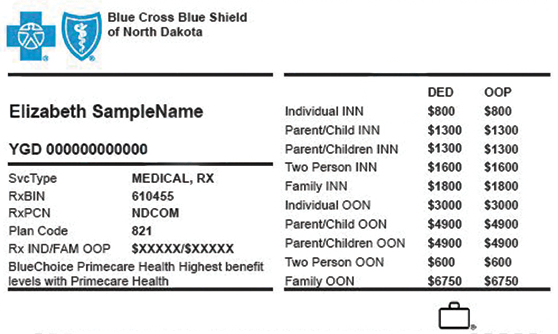

Helpful Hints for BCBSND.me Registration


  1. Choose any email address you prefer. It does not have to match any previous email address you have used with BCBSND.

  2. Ensure the name you register with matches the name on your ID card or what you included on your insurance application.

  3. Register with the full user ID, including any letters that may proceed the number. 
Front of BCBSND member ID card

Additional Frequently Asked Questions